





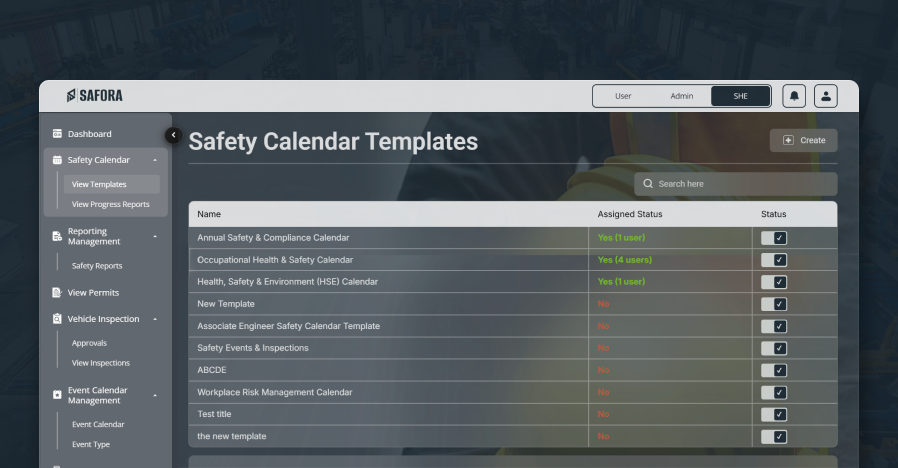
Safety Reports Generate Powerful Safety Reports with Complete Visibility
Safora's Safety Reports feature enables organizations to generate accurate, structured, and real-time safety reports across all modules. From incidents and hazards to work permits and corrective actions, Safora provides complete visibility into safety data for better decision-making and compliance.
What are Safety Reports?
Safety reports are structured records that provide insights into workplace safety activities, incidents, hazards, and performance. They help organizations analyze trends, monitor compliance, and ensure that safety processes are properly followed.
Safora digitizes safety report generation, allowing users to access detailed and up-to-date reports instantly without manual effort.
Why Safety Reporting is Important
Without a proper reporting system, organizations face:
-
Scattered and Inconsistent Safety Data Data spread across multiple systems makes tracking and analysis difficult.
-
Time-Consuming Manual Reporting Preparing reports manually takes time and delays critical decisions.
-
Limited Visibility into Performance Organizations struggle to view real-time safety status across modules.
-
Action and Compliance Tracking Challenges Tracking corrective actions and compliance status becomes inconsistent.
-
Audit and Inspection Difficulties Missing structured records creates challenges during audits and inspections.
Safora centralizes all safety data into one system, making reporting fast, reliable, and actionable.
How Safety Reports Work in Safora
A centralized and flexible digital reporting workflow


Centralized Data Collection
All safety data from incidents, hazards, work permits, inspections, and actions are automatically stored in one system.
Generate Reports Instantly
Users can generate reports based on specific modules, departments, or time periods with just a few clicks.
Filter & Customize Reports
Reports can be filtered by department, site/location, date range, status, and type of report for focused insights.
Download & Share
Reports can be exported and shared for audits, compliance, and management reviews.
Types of Safety Reports Available
Safora provides a wide range of detailed safety reports, including:
-
Incident Reports Structured incident documentation for review and analysis.
-
Hazard Reports Hazard trends and status visibility across departments.
-
Work Permit Reports Permit issuance and activity summaries.
-
Work Permit Approval Reports Approval flow tracking and bottleneck visibility.
-
Investigation Reports Detailed investigation and root cause reporting.
-
Corrective & Preventive Action Reports Action completion progress and follow-up status.
-
Department-wise Safety Reports Performance insights by department.
-
Site-based Safety Reports Location-wise reporting for site-level safety decisions.
Each report provides detailed insights to help organizations monitor performance and improve safety practices.
Key Features
-
Centralized Safety Report Generation Generate all reports from one unified platform.
-
Multiple Report Types Supports incident, hazard, permit, investigation, and action reports.
-
Department-wise and Site-wise Reporting Analyze safety performance by teams and locations.
-
Incident and Hazard Insights Track trends and identify recurring risks quickly.
-
Work Permit and Approval Tracking Reports Monitor permit lifecycle and approval delays.
-
Investigation and Root Cause Analysis Reports Document findings and strengthen long-term prevention.
-
Corrective and Preventive Action Tracking Ensure every action is monitored to completion.
-
Advanced Filtering and Customization Create focused reports by department, site, date range, status, and type.
-
Downloadable and Shareable Reports Export reports for audits, reviews, and compliance submissions.
-
Real-Time and Accurate Data Always work with current, reliable safety information.
Benefits
- Improves Workplace Safety VisibilityProvides a centralized safety reporting system to monitor incidents, hazards, and work permits across the organization in real time.
- Enables Data-Driven Safety DecisionsTransforms safety data into actionable insights for better risk management.
- Simplifies Compliance and Audit ReportingGenerates structured reports that support regulatory compliance, audits, and inspections.
- Tracks Safety KPIs and Performance MetricsMeasure performance using indicators such as incidents, hazards, and corrective actions.
- Identifies High-Risk Areas and TrendsUse incident and hazard reports to detect recurring issues and prevent accidents.
- Enhances Investigation and Root Cause AnalysisDetailed investigation reports help identify root causes and improve long-term outcomes.
- Improves Corrective and Preventive Action TrackingEnsures all safety actions are monitored and completed, reducing repeat incidents.
- Supports Department-Wise Safety AnalysisEnables reporting by department and site to improve accountability and performance tracking.
- Provides Real-Time Safety ReportingDelivers up-to-date safety data for faster decisions and proactive management.
- Maintains Complete Audit TrailStores reports, approvals, and actions with full traceability for transparency and accountability.